Discover top plastic badge printers and kit bundles that streamline on‑demand ID creation. This guide highlights five reliable options that produce high‑quality, tamper‑resistant badges with user‑friendly software. Each product offers color printing, easy templates, and bundled supplies to help organizations print badges in seconds. Review features, compatibility, and security options to choose the right solution for schools, workplaces, events, and clubs.
| Product | Brand | Type | Key Benefit |
|---|---|---|---|
| Badgy100 Plastic Card Printer | Badgy | Single‑sided color printer | On‑demand full‑color badges |
| Badgy200 Plastic Card Printer | Badgy | All‑in‑one color printer | Full color, tamper‑proof design |
| Magicard 300 Dual Sided Printer | Card Imaging | Dual‑sided printer | Security features and LCD help |
| CAETOUNG Premium Blank Cards | CAETOUNG | Blank PVC cards | ISO CR80 standard, versatile use |
| Magicard Pronto100 | Card Imaging | Single‑sided printer | Front/back printing option with upgrade path |
Badgy100 Plastic Card Printer

The Badgy100 provides a compact, on‑demand solution for full‑color ID badges. It targets simple, single‑printing needs and allows immediate replacement of lost or stolen cards. Printing is high‑resolution on quality plastic cards, and the included Badge Studio online template library offers professional designs to choose from. This setup supports quick badge creation for small teams or events, emphasizing convenience and reliability for daily badge needs.
Badgy200 Plastic Card Printer
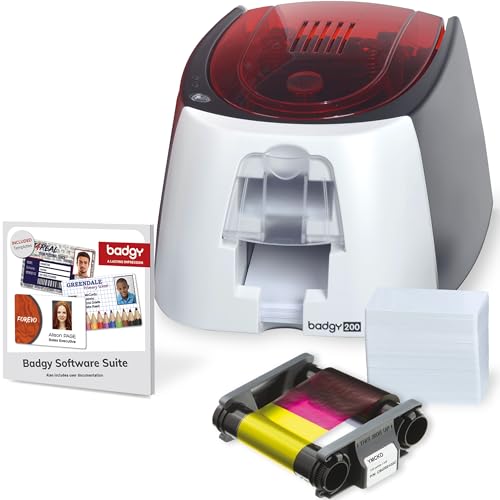
The Badgy200 all‑in‑one solution includes Badge Studio+ software and provides full‑color, custom, tamper‑proof badges quickly. It’s designed for schools, workplaces, and organizations needing robust, professional ID cards. The package supports database import, templates, and a design wizard, enabling users to start from scratch or customize existing designs. This option emphasizes security and streamlined badge production at scale.
Magicard 300 Dual Sided Printer
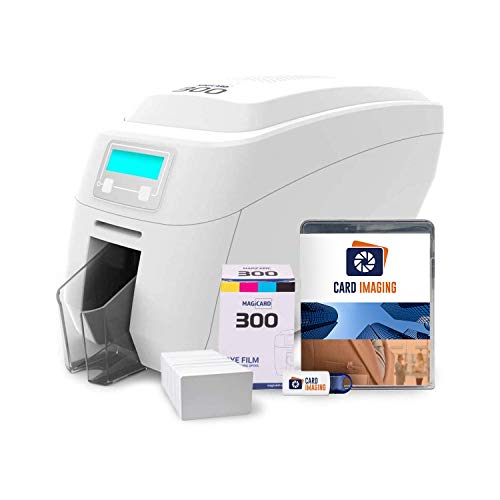
The Magicard 300 bundles essential supplies and software for dual‑sided ID card creation. It includes color ribbon, 100 PVC cards, and Card Imaging design software, with access to free technical support. The LCD display provides clear, user‑friendly messaging, making setup and ongoing operation straightforward. Dual‑sided printing enables more durable, professional badges suitable for multi‑access environments and larger organizations.
CAETOUNG 100 Pack Premium Blank PVC Cards
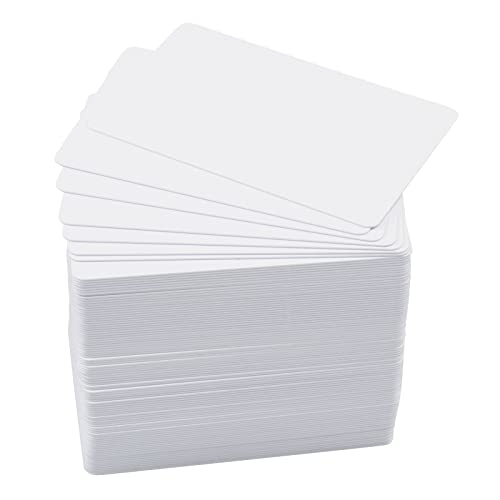
These premium blank PVC cards come in a 100‑card pack, designed for use with most photo ID badge printers. They are ISO CR80 standard size (85.6 x 53.98 mm) and 30 mil thick, suitable for single or double‑sided printing. They are not compatible with inkjet printers, making them a solid match for dedicated card printers that require reliable print quality and compatibility with standard blank card stock.
Magicard Pronto100
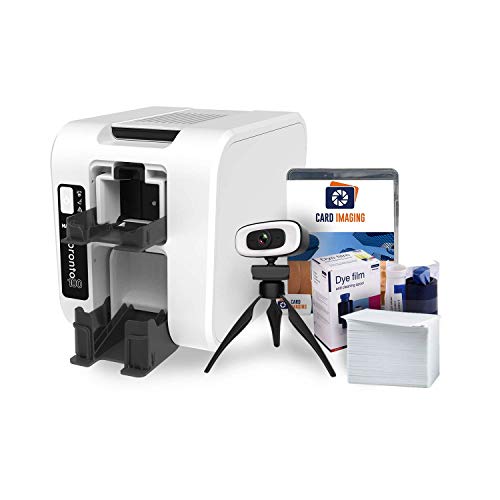
The Pronto100 provides a compact, single‑sided printing solution with an option to upgrade for dual‑sided printing. It ships with essential supplies and Card Imaging software, and includes free tech support for setup. The ability to print on both sides after reinserting the card offers flexibility for growing badge programs, while the integrated software helps users create professional designs quickly.
Buying Guide
When choosing a plastic badge printer or kit, consider the following factors to balance cost, functionality, and security:
- Printing capacity and front/back capability: Single‑sided versus dual‑sided printing affects badge durability and information density. Dual‑sided models are ideal for more complex badges with security features.
- Software and templates: Look for user‑friendly software with templates, drag‑and‑drop design, and database import options. This reduces design time and ensures consistent branding.
- Card stock compatibility: Ensure blank cards match your printer model (CR80 size is standard). Confirm thickness (mil) and compatibility with magnetic stripes or chips if needed later.
- Security features: Tamper‑resistant designs, digital overlays, and fraud protection help protect badge integrity in schools and workplaces.
- Supplies and warranty: Check bundled supplies (ribbons, cards) and available tech support. A reputable warranty and post‑sale assistance reduce downtime.
- Ease of maintenance: LCD displays, straightforward feed mechanisms, and reliable drivers improve long‑term operation and reduce troubleshooting.
- Upgrade paths: Some models offer upgrades to dual‑sided printing or software features. Consider future needs and expandability.
- Size and portability: For on‑site events or classrooms with limited space, a compact unit can be advantageous.
In summary, the best choice depends on your badge volume, required security level, and ease of design. For simple, on‑demand badges, a compact single‑sided Badgy100 might suffice. For organizations needing color‑rich, tamper‑proof cards with flexible software, Badgy200 or Magicard 300 are strong options. If you anticipate growth or complex layouts, consider dual‑sided capabilities and scalable software solutions to future‑proof your badge program.