Searching for compact, precise tools to cut and engrave acrylic at home or in a small shop? This guide highlights five top mini acrylic cutting machines that balance size, power, and accuracy. Each product below offers detailed engraving and cutting capabilities suitable for acrylic sheets, wood, leather, and more. Review the features, compare workspace sizes, and find practical options for hobbyists, educators, and makers pursuing real-world results.
| Product | Brand | Work Area | Laser Power (approx.) |
|---|---|---|---|
| ACMER S1 Laser Engraver | ACMER | 130×130 mm | ≈ 2.5 W |
| ACMER S1 Laser Engraver (Compact) | ACMER | 130×130 mm | ≈ 2.5 W |
| ATOMSTACK Swift Mini Laser Engraver | ATOMSTACK | 135×145 mm | ≈ 3.0 W |
| LONGER Ray5 Mini Laser Engraver | Longer | 140×130 mm | ≈ 2.5 W |
| WIZMAKER Wand Mini 2.5W | WIZMAKER | 135×145 mm | ≈ 2.5 W |
ACMER S1 Laser Engraver (2500mW) 130x130mm
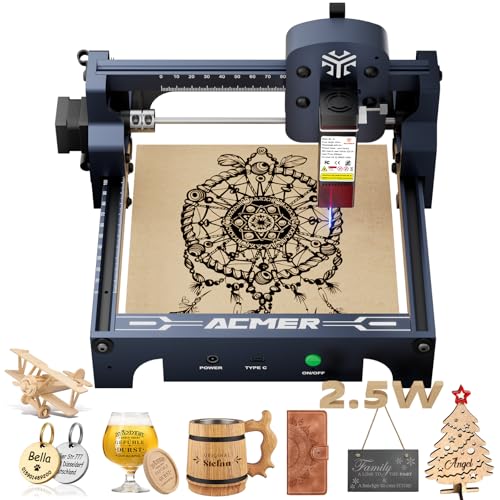
The ACMER S1 sits in the compact class with a 130×130 mm work area and a 2500 mW diode laser. It combines high precision with fast engraving speeds and a 455 nm wavelength for detailed acrylic work. The device supports free AcmerTool software and is compatible with other common engraving programs, enabling flexible workflows for hobbyists and small operators. Its 0.01 mm repeatable positioning accuracy helps produce crisp lettering and intricate patterns on acrylic, wood, and more.
The S1 is designed as a versatile two-in-one solution for engraving and cutting thin materials. Its focus system and stable frame help maintain consistent results, while users can leverage the 2 mm focal length to dial in sharp details on flat acrylic sheets. This model is well-suited for personalized signs, crafts, and small studio projects that require clean edges and precise text.
ACMER S1 Compact Laser Engraver
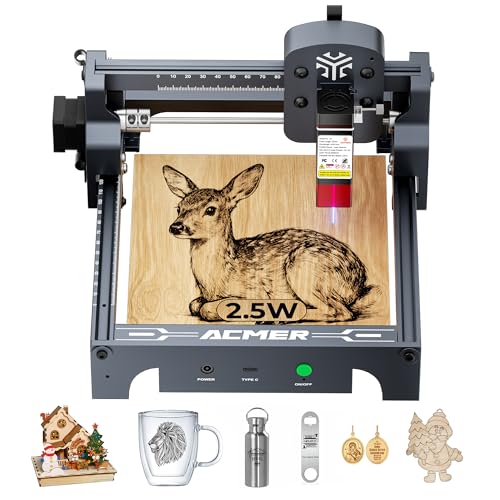
The compact ACMER S1 model prioritizes portability without sacrificing detail. With a 130×130 mm work area and the same 0.04 mm level of engraving precision, it handles fine lines, small text, and decorative patterns on acrylic, wood, and other materials. The integrated AcmerTool software streamlines setup and operation, while the system’s speed reaches up to 10,000 mm/min for productive session throughput. Ideal for STEM projects, classroom demonstrations, and maker spaces seeking a reliable desktop option.
Its educational angle is emphasized by compatibility with classroom workflows and a focus on hands-on learning. The S1 compact is a practical choice for educators and hobbyists who want a capable machine that travels well between workstations or events while delivering professional-looking results on acrylic and related substrates.
ATOMSTACK Swift Mini Laser Engraver

The ATOMSTACK Swift Mini stands out with a fully pre-assembled design, reducing setup friction for beginners. Its 135×145 mm workspace offers a generous area for small acrylic pieces, signs, and crafts. A 3 W diode laser delivers crisp text and detailed artwork with a spot size around 0.04 mm, enabling precise engraving and clean edge finishes. The Swift Mini is noted for its user-friendly experience, making it a popular pick for classrooms, homes, and small studios where quick-start operation matters.
This model balances ease of use with capability, supporting a range of materials such as wood, leather, bamboo, and coated metals. It’s particularly suitable for users who want reliable performance with minimal setup, enabling rapid prototyping and educational demonstrations that illustrate the transition from concept to finished acrylic projects.
LONGER Ray5 Mini Laser Engraver

The LONGER Ray5 Mini emphasizes ultra-fine engraving with a 0.04 mm spot and speeds up to 12,000 mm/min. Its compact frame—about 140×130 mm of work area—suits desktop setups and on-the-go crafting. The device ships pre-assembled for quick use and includes safety features such as emergency stop and protective measures for eye safety when working with acrylic and other materials. The Ray5 Mini pairs portability with reliable precision for detailed signs, small panels, and custom decor pieces.
For acrylic projects, this model provides a strong balance of speed and print quality, enabling crisp edges and faithful reproduction of fine text and graphics. Its lightweight design makes it easy to move between classrooms, studios, or home workspaces, while maintaining the ability to cut or engrave on thinner acrylic sheets with confidence.
LONGER Ray5 Laser Engraver 3500mW

The 3500 mW variant offers higher power for more demanding acrylic work, with a robust 0.04×0.04 mm spot and a 130×140 mm workspace. It can handle moderate thicknesses in wood and acrylic, with the ability to cut through thinner substrates and produce fine, photorealistic engravings at up to 12,000 mm/min. The integrated design emphasizes portability and straightforward setup, making it a strong option for experienced hobbyists and small studios seeking enhanced performance on acrylic surfaces.
Key points to consider with this model include material compatibility, focal adjustment, and the balance between speed and detail. Users should assess project needs—whether occasional prototypes or regular small-batch runs—to determine if the extra power justifies potential increases in footprint or cost. The Ray5 family generally remains a good all-around choice for acrylic engraving and light cutting tasks.
Likcut Vinyl Cutter Machine (Glee S501)

While primarily marketed for vinyl and vinyl-related crafts, the Likcut Glee S501 represents a different approach to cutting and crafting with acrylic-oriented projects in mind. It supports a broader material range and is designed for DIY enthusiasts who want a versatile cutting tool that can handle stickers, decals, and ornamental components used in acrylic displays and signage. This machine complements laser engraving by enabling a broader set of fabrication options for mixed-media acrylic projects.
Buying Guide: Key Purchase Considerations For Mini Acrylic Cutters
- Work area and footprint: Choose a size that fits your workspace and the acrylic sheet sizes you typically use. Larger areas enable bigger signs, while compact models suit desk setups and classrooms.
- Laser power and spot size: Higher wattage and smaller spot sizes improve engraving detail and enable thinner materials to be cut. Consider the thickness of your acrylic needs and whether you require precise edge quality for signs and decorations.
- Software and workflow: Look for devices with free, integrated software or compatibility with popular engraving programs. A user-friendly interface and stable drivers reduce setup time and learning curves.
- Build quality and safety: A rigid frame, reliable emergency stop, eye protection features, and proper cable management contribute to safer operation, especially in classroom or family-making environments.
- Pre-assembly and ease of use: Pre-assembled units save time and frustration for beginners. Fully assembled units are ideal for quick-start projects and demonstrations.
- Material versatility: If acrylic is your primary material, verify the device can handle acrylic with clean edges and minimal scorching. Some models are better suited for wood, leather, or coated metals in addition to acrylic.
- Education and community support: For STEM classrooms and makerspaces, models that offer robust tutorials, community projects, and educator resources provide added value.
- Portability vs. power: If you need to move the machine between rooms or events, prioritize lighter, portable options with simple setup and stable performance.
These options collectively cover a spectrum from beginner-friendly to more capable desktop lasers, all designed to support acrylic engraving and light cutting. Evaluate your typical project types, the size of pieces you plan to produce, and whether you value portability, speed, or the depth of engraving most. By aligning features with real-world usage, you can select a mini acrylic cutting machine that fits your workflow and budget.